 Sunlite Systems Pvt. Ltd.




Samsung Flip Pro: Interactive Display Buying Guide
What the Samsung Flip Pro Actually Is
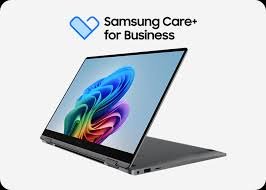
The Samsung Flip Pro belongs to Samsung's line of interactive digital flipcharts and whiteboard displays — large touch-enabled screens designed to replace both a traditional whiteboard and a projector-and-screen setup in meeting rooms, training spaces, and classrooms. Unlike a standard display panel that only shows content, the Flip Pro allows users to write, annotate, and manipulate content directly on the screen, save that content digitally, and often share it in real time with remote participants during hybrid sessions.
This category exists because the traditional whiteboard-plus-projector combination has real limitations in a hybrid-work and hybrid-education era: content written on a physical whiteboard cannot easily be shared with remote participants, and it disappears the moment the board is erased. An interactive flipchart display solves both problems simultaneously — content is visible to remote participants in real time, and can be saved, exported, or emailed after the session rather than lost the moment the room is cleared for the next meeting.
For organizations evaluating a Samsung Flip Pro interactive display dealer, it's worth understanding that this product sits in a specific niche between a pure video conferencing display and a general large-format screen: its core value is interactivity and collaboration, not just video call display. Buyers whose primary need is video conferencing display quality without heavy annotation use may be equally well served by pairing a standard display with a dedicated conferencing camera and microphone system, whereas buyers who need active whiteboarding, brainstorming, or interactive teaching will find the Flip Pro's core capability directly relevant to their use case.
Who Buys the Samsung Flip Pro, and Why
Corporate training and innovation teams are a natural buyer group — organizations running workshops, design-thinking sessions, or collaborative planning meetings where content needs to be built interactively on-screen rather than simply displayed. These teams value the ability to save session output digitally, distributing it to participants immediately after a meeting rather than relying on someone to manually transcribe a physical whiteboard.
Schools and higher-education institutions represent one of the largest buyer segments for interactive flipchart displays generally, using them to replace traditional whiteboards in classrooms for a more engaging, digitally connected teaching format, particularly where hybrid or remote students need to follow along with material written in real time. Government training centers and administrative offices running internal workshops or public-facing training programs are a further buyer group, valuing the same interactive, saveable format for institutional training content.
Healthcare organizations use interactive displays in training rooms for clinical education sessions and administrative planning meetings, while manufacturing companies use them in plant training rooms and process-review sessions where diagrams and process flows benefit from real-time annotation. Hospitality groups use them in sales presentation and planning rooms, retail head offices use them for merchandising and store-layout planning sessions, and auditorium and event venues use them in planning and production coordination rooms where visual collaboration matters as much as simple video display.
Evaluating Genuine and Authorized Sourcing
Interactive displays represent a significant capital purchase for most organizations, which makes verifying dealer authorization especially important before committing. When comparing options for a Samsung Flip Pro interactive display dealer, buyers should confirm the dealer can provide manufacturer-backed invoicing, proper warranty registration, and — importantly for a touch-enabled display — a clear service process for calibration or panel issues that may arise over the unit's operating life.
Installation quality matters considerably for this category. A wall-mounted or stand-mounted interactive display needs to be installed at the correct height and angle for comfortable use, with power and network connectivity properly routed, and often with basic staff training on the interface included as part of the purchase. A dealer who treats installation as an afterthought rather than a core part of the sale often leaves the organization to figure out mounting, calibration, and staff onboarding on its own.
A third consideration, particularly for schools and training centers deploying multiple units across several rooms, is consistency of stock and configuration across the rollout. Buying displays from several different sources over time can lead to inconsistent firmware versions or accessory compatibility across rooms, which complicates support and staff training. A single accountable dealer managing the full rollout avoids this fragmentation.
Sector-Specific Use Cases
Corporate Training and Collaboration Rooms
Design workshops, strategic planning sessions, and collaborative brainstorming benefit directly from a display that lets teams build content together in real time and save the output for later reference, rather than relying on photographs of a physical whiteboard.
Schools and Classrooms
Interactive displays replace traditional whiteboards with a format that supports richer visual teaching, saves lesson content digitally, and can extend to remote or hybrid students following the same session from home or another campus.
Government Training Centers
Institutional training programs benefit from the ability to save and redistribute session content to participants, supporting more consistent training delivery across government offices and departments.
Healthcare Training Rooms
Clinical education sessions and administrative planning meetings benefit from real-time annotation capability, particularly for process diagrams, care pathways, or planning content that needs to be built collaboratively.
Manufacturing, Hospitality, Retail and Auditoriums
Process-review sessions in manufacturing plants, sales planning rooms in hospitality groups, merchandising planning in retail head offices, and production coordination in auditorium venues all benefit from a display that supports live collaborative annotation rather than static content display alone.
A Practical Buying Process Walkthrough
The purchase process typically starts with confirming the room's intended primary use — is it mainly for training and workshops requiring heavy annotation use, or primarily for video conferencing with occasional whiteboarding? This distinction shapes not just the display choice but accessory needs like styluses, mounting hardware, and any additional camera or microphone accessories needed for hybrid sessions.
Once the use case is clear, a formal quotation should specify the display size appropriate to room dimensions, mounting or stand configuration, delivery timeline, and warranty terms. For multi-room or multi-campus rollouts, the quotation should also address whether installation and basic staff training are included, since these services materially affect how quickly the organization can get full value from the purchase.
Delivery and installation should include verification of touch responsiveness, correct mounting height, and network connectivity, along with basic staff orientation on saving and sharing session content. For organizations equipping rooms with both interactive displays and dedicated audio pickup for larger spaces, it's worth reviewing the Sennheiser TeamConnect Ceiling mic price guide, since ceiling microphone arrays are commonly paired with interactive displays in larger training and conference rooms to ensure remote participants can hear the room clearly during collaborative sessions.
The final step is warranty registration and confirming a support contact for future calibration, software updates, or hardware service needs — details that are easy to overlook amid a rollout but that matter over the unit's multi-year operating life.
The GeM and Institutional Procurement Angle
Government training centers, schools, and public institutions procuring interactive displays are frequently required to route purchases through GeM, and Sunlite Systems Pvt Ltd's GeM registration allows exactly this route to be used without additional procurement complexity for the buyer. Given that interactive displays represent a meaningful capital line item, having proper GeM documentation from the outset avoids delays later in the audit or reimbursement process for government buyers.
Educational institutions and healthcare organizations purchasing outside strict GeM requirements still benefit from the same institutional-grade documentation and invoicing discipline applied to direct B2B sales, particularly for multi-room or multi-campus rollouts where consistency across the entire order matters as much as the individual unit purchase.
For large rollouts — a school district equipping classrooms across several buildings, or a hospital network standardizing training rooms across branches — working with a single GeM-registered vendor who can manage the full order under one procurement relationship considerably simplifies both the buying process and the multi-year support relationship that follows.

Frequently Asked Questions
What size should I choose for my room?
Display size should be matched to room dimensions and typical viewing distance; a proper room assessment before ordering is the most reliable way to choose correctly rather than defaulting to the largest available size.
Is the Flip Pro suitable for video conferencing, or only for whiteboarding?
The Flip Pro's core strength is interactive annotation and collaboration; for rooms where video conferencing is the primary function, pairing the display with a dedicated camera and microphone system is often the better approach.
How do I verify a dealer is authorized to sell Samsung Flip Pro units?
Ask for manufacturer-backed invoicing, confirm warranty registration is included, and check whether installation and staff training are part of the offer rather than left entirely to your own IT team.
Can government training centers procure this through GeM?
Yes, Sunlite Systems Pvt Ltd's GeM registration supports this procurement route for eligible government and public institution buyers.
What about rooms where audio pickup for remote participants is a concern?
For larger rooms where an interactive display is paired with group discussion, a ceiling microphone array is often a useful addition; see the Sennheiser TeamConnect Ceiling mic price guide for that pairing.
Closing Summary
The Samsung Flip Pro addresses a genuine gap between static displays and traditional whiteboards, offering real-time interactive collaboration with the ability to save and share session content, which is why it has found strong adoption across corporate training rooms, schools, government training centers, healthcare education spaces, and beyond. Choosing the right dealer matters as much as choosing the right size — proper installation, staff training, and after-sales support determine whether an organization gets full value from the purchase over its operating life. Sunlite Systems Pvt Ltd, a GeM-registered vendor serving government, corporate, education, healthcare, manufacturing, hospitality, retail, and auditorium sectors, brings that same documentation and support discipline to every Flip Pro deployment it handles. Learn more at Sunlite Systems Pvt Ltd, Sunlite Systems India, the Sunlite Systems Online Store, or our Rudraksh India store. For a room assessment or formal quotation, reach out through the contact page.
How Flip Pro Compares to Samsung's Other Display Lines
Flip Pro is an interactive digital flipchart built around active collaboration, distinct from Samsung's signage/large-format lines built for one-way display. It should be evaluated against actual daily interaction use, not treated as a generic big-screen purchase.
Installation and Room-Fit Considerations for Flip Pro
Mounting method (fixed wall vs mobile stand) should be decided before ordering. Screen-size-to-room-size matching directly affects whether touch features actually get used comfortably. When comparing a Samsung Flip Pro interactive display dealer, ask about room assessment and installation support, not just unit pricing.
Is Flip Pro the right choice for a room mainly displaying presentations?
A standard commercial display may be more cost-effective if interaction is only occasional.
What should a dealer help with beyond supplying the unit?
Assessing correct screen size and mounting approach, installation support, and basic staff onboarding.
Explore More — Sunlite Systems Network
Ready to Buy Samsung Equipment?
Sunlite Systems Pvt Ltd is a GeM-registered, authorized Samsung channel partner across India.
Contact Us Now