 Sunlite Systems Pvt. Ltd.





Peoplelink VC Setup Services for Offices, Institutions and Government Departments
What Peoplelink VC Setup Services Actually Involve
When an organisation decides to move from ad-hoc video calls on a laptop to a properly engineered conferencing room, the hardware is only one part of the equation. Peoplelink VC setup services cover the entire journey from an empty room or an outdated meeting space to a working, reliable video conferencing environment that staff actually want to use. This includes an initial site assessment, selection of the right combination of camera, microphone, speaker and display hardware, physical installation and cable management, integration with the organisation's existing network and conferencing software, calibration and acoustic tuning, end-user testing, and a formal handover with training. Skipping any one of these stages is usually what turns a video conferencing investment into a source of daily frustration rather than a productivity tool.
Peoplelink has built a strong reputation in the Indian market specifically because its webcams and video conferencing endpoints are designed with local network conditions, room sizes and price expectations in mind. But even well-designed hardware performs poorly if it is mounted at the wrong height, wired through an inadequate network switch, or left with default audio settings that pick up every echo in a hard-walled boardroom. A proper setup service treats the Peoplelink camera or endpoint as one component of a room system, not a standalone gadget to be placed on top of a television and left there.
For organisations with multiple locations — branch offices, project sites, or departmental offices under one head office — setup services also need to standardise configuration so that every room behaves the same way for the end user. A regional manager who joins a call from three different offices in a month should not have to relearn the interface each time. This standardisation is one of the most overlooked benefits of working with a dedicated integrator rather than buying hardware and configuring each room independently.
Understanding the Peoplelink Product Range You Are Installing
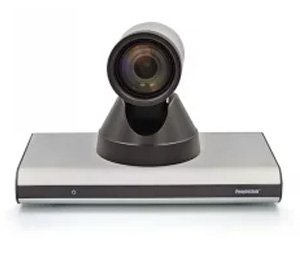
Peoplelink's catalogue spans simple USB webcams suitable for a small huddle room or a single executive's desk, all the way to dedicated video conferencing endpoints intended for mid-size and large boardrooms. Webcams are the entry point — compact, easy to mount on a monitor or wall bracket, and adequate for one-to-one or small group calls where the camera simply needs to capture the people in frame clearly. Dedicated VC endpoints step up in capability, typically pairing a wider-angle or PTZ (pan-tilt-zoom) camera with an integrated or connected microphone and speaker unit, designed to cover a full conference table rather than a single seat.
Choosing between these tiers is not just about budget — it is about matching the hardware to the room's actual usage pattern. A five-seat huddle room used mostly for quick internal syncs does not need the same camera reach as a fifteen-seat boardroom used for client presentations and board reviews. An installer who understands the Peoplelink range will ask about room capacity, typical meeting types, and whether the room will also be used for hybrid town halls or training sessions before recommending a specific model, rather than defaulting to whichever unit is easiest to sell.
How to Choose the Right Integrator for Peoplelink Installation
The video conferencing hardware market in India has no shortage of resellers who will happily box up a Peoplelink camera and hand it over the counter. Very few of those resellers actually install, calibrate and support the system afterwards. When evaluating an integrator for a proper installation, look first at whether they have hands-on experience specifically with Peoplelink's product line, not just video conferencing in general — cable pinouts, mounting brackets, firmware update procedures and software pairing steps differ between brands, and an installer unfamiliar with the specific hardware will spend your installation day learning on the job.
Second, ask how the integrator approaches the site survey. A serious installer will want to see the actual room — its dimensions, wall material, existing electrical points, network drop locations and ambient lighting — before quoting a final configuration. An integrator who is willing to quote a full system over the phone or by email alone, without ever asking about the room, is optimising for a quick sale rather than a working installation.
Third, check whether the integrator offers integration with your existing collaboration software, whether that is a cloud meeting platform or an on-premise conferencing server, and whether they provide any documentation or training material as part of the handover. Finally, ask about after-sales support — response times for a fault call, availability of spare parts, and whether an annual maintenance contract is offered. A camera that stops working the week before a board meeting is a business problem, not just a technical one, and the integrator's support commitment matters as much as their installation quality.
Peoplelink VC setup services delivered by an integrator who treats the room as a system — camera, microphone, display, network and software working together — will consistently outperform a self-installed unit even when the underlying hardware is identical.
Site Preparation and Planning Before Installation Day
A smooth installation day depends heavily on preparation that happens well before any technician arrives on site. Electrical points near the intended camera and display location need to be confirmed and, where necessary, added by a qualified electrician in advance. Network access — whether a wired LAN drop or a confirmed Wi-Fi access point with adequate coverage — needs to be available in the room, since video conferencing traffic is sensitive to both bandwidth and latency and cannot reliably run over a weak or shared connection.
Room acoustics deserve attention at the planning stage rather than being treated as an afterthought. Rooms with large glass walls, bare concrete, or hard flooring tend to produce echo and reverberation that even a good microphone struggles to filter out. Simple measures — acoustic panels, carpeted flooring, or heavier curtains — planned before installation day can meaningfully improve call quality without adding cost later. Furniture layout also matters: the conference table position, seating arrangement and any fixed screens or whiteboards in the room should be finalised before camera placement is decided, since moving furniture after installation often means re-angling or remounting hardware.
Organisations that plan to use the same room for both video conferencing and general presentations should also decide, at the planning stage, whether the display will double as the presentation screen or whether a separate projector or panel is needed. This decision affects cable routing, mounting height and even the recommended camera model, so it should be settled before, not during, the installation visit.
What to Expect During Installation — Step by Step
On the day of installation, a structured integrator will typically begin by reconfirming the site survey findings against the actual room, since gaps of a few weeks between survey and installation sometimes mean furniture or electrical work has changed. Equipment is then unpacked and checked against the order to confirm nothing is missing or damaged before any mounting begins.
Mounting comes next — the camera or endpoint is fixed at the height and angle determined during planning, cables are routed through existing conduits or new cable trays where needed, and the display is positioned so that eye-line during a call feels natural rather than forcing participants to look up or down at the camera. Network configuration follows, connecting the endpoint to the LAN or Wi-Fi and confirming that firewall or proxy settings on the corporate network do not block conferencing traffic — a step that is frequently missed by less experienced installers and only discovered during the first real call.
Once hardware is live, the installer pairs the system with the organisation's conferencing software, whether that is a cloud platform login or an on-premise bridge, and runs test calls to check audio pickup across the full table, video framing, and any echo or feedback issues. Only after these tests pass should the room be considered ready. The final step is a walkthrough with the actual users — not just IT staff — showing them how to start a call, mute audio, adjust camera framing and raise a support ticket if something goes wrong, followed by handover documentation listing the installed equipment, network settings and support contact details.
Common Installation Mistakes to Avoid
Even well-intentioned in-house installations run into the same handful of problems repeatedly. Being aware of these in advance helps an organisation ask the right questions of any installer, in-house or contracted.
- Mounting the camera too high or too low, forcing an unnatural eye-line that makes remote participants feel like they are being addressed from above or below.
- Ignoring room acoustics entirely, resulting in echo or muffled audio that no amount of microphone gain adjustment can fully fix after the fact.
- Underestimating network requirements, especially in offices where the same Wi-Fi network also carries general office traffic, leading to frozen video during busy hours.
- Skipping end-user training, which means staff either avoid using the new system or use only a fraction of its features.
- Treating the installation as a one-time event with no annual maintenance plan, so a minor fault goes unresolved for weeks because no one is responsible for it.
- Choosing a display size or camera model that does not match the room's actual capacity, either overspending on a boardroom-grade system for a small huddle room or undersizing a system for a larger space.
A Sector Scenario — Equipping a Manufacturing Company's Head Office
Consider a mid-sized manufacturing company whose head office coordinates with plant managers, regional sales offices and overseas suppliers on a near-daily basis. Before a structured video conferencing setup, calls were routed through a laptop balanced on a side table, with staff crowding around a single small screen and complaining about poor audio whenever more than four people joined from the same room. The company's IT lead approached an integrator for a proper installation across two meeting rooms — a six-seat discussion room and a twelve-seat main conference room used for supplier reviews.
The installation process began with a site survey of both rooms, revealing that the larger room had a glass partition wall contributing to noticeable echo. The integrator recommended a Peoplelink endpoint with wider table coverage for the main room, paired with simple acoustic treatment on the glass wall, while the smaller discussion room received a webcam-based setup suited to its size and use case. Network drops were added in both rooms ahead of installation day, and staff received a short walkthrough session covering how to start and join calls without IT assistance. Within the first month, the company reported that supplier review calls — previously a source of constant complaints about audio quality — were running smoothly enough that plant managers began requesting the same setup be extended to a third location.
The GeM and Institutional Procurement Angle
Video conferencing infrastructure is increasingly procured by government departments, public sector undertakings and educational institutions through the Government e-Marketplace, and Peoplelink's positioning as a value-focused, India-aware brand makes it a frequent choice in these tenders. Institutional buyers working through GeM typically need more than a product listing — they need a vendor who understands tender specifications, can supply installation and commissioning as part of the same contract, and can provide the compliance and after-sales documentation that government procurement demands.
As a GeM-registered vendor, Sunlite Systems Pvt Ltd works with government offices, PSUs and educational institutions to fulfil these requirements end to end — from responding to tender specifications through to on-site installation, testing and handover. For institutional buyers, this single-point accountability matters: a department that has procured a Peoplelink system through GeM benefits from working with a vendor who can both supply the hardware against tender terms and stand behind its installation quality afterwards, rather than having to separately coordinate a hardware vendor and an independent installer.
Frequently Asked Questions
Do I need a dedicated network connection for a Peoplelink video conferencing room?
A wired connection is generally recommended for boardrooms and heavily used meeting rooms, since it offers more consistent bandwidth and lower latency than shared Wi-Fi. Smaller huddle rooms can often run reliably on a dedicated Wi-Fi access point if the office network has adequate capacity, but this should be assessed during the site survey rather than assumed.
How long does a typical Peoplelink installation take?
A single-room installation, from mounting to final testing and training, is usually completed within a day once site preparation — electrical and network points — is already in place. Multi-room rollouts naturally take longer and are often scheduled room by room to minimise disruption to daily office use.
Can an existing meeting room be retrofitted, or does it need to be built from scratch?
Most existing meeting rooms can be retrofitted. The integrator's site survey will identify whether additional cabling, acoustic treatment or furniture adjustment is needed, but a full room rebuild is rarely required simply to add a Peoplelink video conferencing system.
What ongoing support should I expect after installation?
A reputable integrator will offer, at minimum, a support contact for fault reporting and guidance on firmware updates. Many organisations also opt for an annual maintenance contract that covers periodic health checks, troubleshooting visits and priority response for urgent faults.
Is Peoplelink hardware available through Government e-Marketplace tenders?
Yes, Peoplelink products are commonly specified in GeM tenders for government and institutional video conferencing requirements, and a GeM-registered vendor can supply, install and commission the hardware against those tender terms.
In Summary
A video conferencing room is only as good as its weakest link, and hardware quality alone cannot compensate for poor camera placement, untreated acoustics, an overloaded network or an installation team unfamiliar with the specific equipment. Proper Peoplelink VC setup services address the room as a complete system — from initial site survey through installation, calibration, testing and end-user training — so that the technology fades into the background and meetings simply work. Whether the requirement is a single huddle room, a multi-location office rollout, or a government department procuring through GeM, working with an experienced, accountable integrator is what separates a video conferencing investment that gets used daily from one that gathers dust after the first bad call.
If your requirement extends beyond Peoplelink, our teams also handle Poly Studio installation services for organisations evaluating alternative video bar formats, and can advise on Polycom boardroom AV integration for Delhi-based offices where a dedicated room kit is preferred. Sunlite Systems Pvt Ltd, headquartered in Ghaziabad, Uttar Pradesh, serves government, corporate, education, healthcare, manufacturing, hospitality and retail clients across India as a GeM-registered vendor — more about the group is available at Sunlite Systems Pvt Ltd and Sunlite Systems India. Ready-to-ship video conferencing accessories and related electronics can also be browsed directly through the Sunlite Systems Online Store, and readers curious about the group's other retail ventures can explore our Rudraksh India store as well. For a site survey or a detailed quotation for your video conferencing room, reach out through the contact page and our team will schedule an assessment.
Post-Installation Support and AMC Planning for Peoplelink VC Systems
What determines whether a Peoplelink VC setup services investment pays off over years is what happens after installation. A firmware and software update cadence should be built in (a monthly or quarterly off-hours maintenance window), along with hardware health checks: quarterly inspection of camera mounts and cable terminations, microphone/speaker test calls confirming pickup range, display/touch-panel checks, and remote diagnostics access. Documentation — which room has which model, firmware version, network VLAN, and point of contact — becomes the backbone of any AMC renewal.
A Second Scenario — Telemedicine and Healthcare Consultation Rooms
A telemedicine room has different acoustic and privacy requirements than a corporate meeting room — smaller spaces, noisier baseline environment, camera/mic placement isolating the consultation desk to minimise bleed from adjoining spaces. Network segregation matters since hospitals run segmented networks for clinical versus administrative systems. Reliability expectations are higher since a failed consultation call has direct patient-experience consequences.
Does Peoplelink offer AMC support directly, or does the installer manage it?
Both models exist, but most buyers get more responsive support from the installer who already knows the room's configuration and history.
How is a Peoplelink installation different for a hospital consultation room versus a corporate meeting room?
Core hardware is similar, but camera framing, acoustic treatment, network segregation, and support response expectations all need adapting to the clinical environment.
Explore More — Sunlite Systems Network
Ready to Install Peoplelink Equipment?
Sunlite Systems Pvt Ltd is a GeM-registered, authorized Peoplelink installation partner across India.
Contact Us Now