 Sunlite Systems Pvt. Ltd.




Panasonic Conference Room Solutions for Corporate and Institutional Spaces
Why a Conference Room Needs Integrated Thinking, Not Separate Purchases
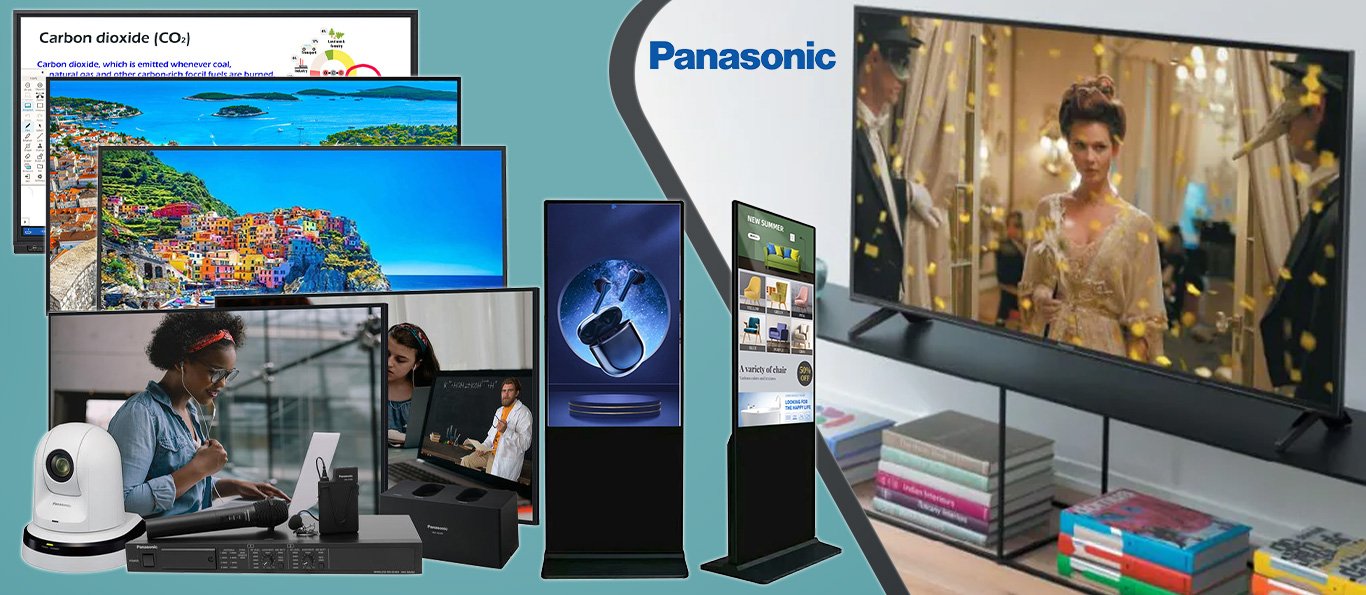
Panasonic offers a genuinely broad range of technology relevant to conference and meeting rooms — professional displays, projectors, and broadcast-grade PTZ cameras — but the mistake many organisations make is buying these as separate, uncoordinated purchases rather than as an integrated room design. A display chosen without regard to camera placement, or a PTZ camera installed without considering the room's lighting and acoustics, will each function individually while still adding up to a mediocre meeting experience. This is exactly the gap that properly designed Panasonic conference room solutions are meant to close, treating the display, camera, and supporting infrastructure as one coordinated system.
Sunlite Systems Pvt Ltd, headquartered in Ghaziabad, Uttar Pradesh, works with corporates, government offices, healthcare administration, and educational institutions to design and install conference rooms around this integrated principle. A conference room is used daily, often by people with no interest in troubleshooting technology mid-meeting, which means the installation needs to anticipate real usage patterns rather than simply getting each individual component working in isolation during a bench test.
What a Panasonic Conference Room Solution Actually Involves
A complete conference room installation begins with understanding how the room will actually be used — internal team meetings, client presentations, hybrid video calls with remote participants, or a mix of all three — since this shapes decisions about display size and placement, whether a projector or a professional display panel is more appropriate, and how sophisticated the camera and audio setup needs to be. Room dimensions, seating capacity, and existing lighting conditions all factor into these decisions as well.
Display or projector installation covers correct sizing and positioning for clear visibility from every seat in the room, along with the mounting, cabling, and calibration steps common to any professional display installation. PTZ camera installation, where the room includes video conferencing capability, requires careful placement to capture the full seating area with appropriate framing, along with configuration of preset positions that let the camera automatically frame whoever is speaking or focus on the whole table as needed, rather than requiring manual adjustment during every call.
Integration is the step that separates a genuinely good conference room from a collection of correctly functioning individual devices — connecting the display, camera, audio system, and room compute so that a single control interface, whether a touch panel or a simple one-button start, brings everything online together rather than requiring users to manually select inputs and switch on multiple separate devices. A complete handover includes testing with a real meeting scenario, operator training for whoever manages the room, and documentation covering the full system configuration for future reference or expansion.
How to Choose an Integrator for a Conference Room Project
The most important question to ask any prospective integrator is whether they design conference rooms as integrated systems or simply install individual components to specification without considering how they work together. Ask specifically how they plan to unify control of the display, camera, and audio into a simple user experience, since this integration work is exactly what separates a professionally designed room from a functional-but-clunky one.
It is worth asking to see or hear about previous conference room installations, particularly ones of a similar scale and purpose to your own, whether that is a small internal meeting room or a larger client-facing presentation space with hybrid video conferencing needs. A competent integrator should be able to explain their reasoning for display size and placement, camera positioning, and how they tested the finished room with an actual meeting scenario rather than a static bench test alone.
Support and training matter significantly for conference rooms specifically, since these spaces are used constantly by staff who are not technology specialists, and a room that confuses users on day one will quickly be abandoned in favour of makeshift alternatives like personal laptops. Ask what training and documentation the integrator provides at handover, and what ongoing support looks like if an issue arises during a scheduled meeting. Sunlite Systems builds every conference room proposal around this practical, everyday-usability standard rather than treating installation as complete once the equipment is merely connected.

Site Preparation and Planning Before Installation
Planning begins with an honest look at the room's lighting, since large windows or strong overhead lighting affect both display visibility and camera image quality, and identifying this early allows for appropriate display brightness selection and, where needed, simple light control measures like blinds. Acoustic characteristics deserve the same early attention as in any video conferencing project, since a room with hard surfaces and no soft furnishings will need different microphone and speaker consideration than one that is already acoustically forgiving.
Network readiness is a critical planning item for rooms that will host video conferencing, since simultaneous video, audio, and content-sharing traffic places real demand on the local network, and a room installed on an under-provisioned network connection will suffer call quality problems regardless of how good the camera and display hardware are — a consideration closely tied to broader office network planning covered in our article on Netgear rack installation.
Cabling pathways for display, camera, audio, and control systems should be planned before walls or ceilings are closed up in new-build or renovation projects, ideally with a single concealed pathway serving all room technology rather than separate ad-hoc runs added over time. Furniture layout should also be considered during planning, since table shape and seating arrangement directly affect camera framing and display sightlines, and finalising furniture after the AV design is set can undermine careful camera and display placement decisions.
Step by Step: What to Expect During Installation
Installation typically begins with mounting the display or projector at the position and height established during planning, followed by PTZ camera installation positioned to capture the full seating area with clear sightlines to typical seating positions. Audio components, whether standalone speakers and microphones or an integrated soundbar-style unit, are installed next, positioned according to the room's acoustic characteristics identified during the planning survey.
Once physical installation is complete, the integrator connects and configures the room's compute and control system, programming camera presets, setting default input sources, and configuring the video conferencing platform the organisation uses. This is the stage where the various components are unified into a single control experience, whether through a touch panel or a simplified one-button-start interface, so users do not need to manually operate several separate devices to start a meeting.
A live test meeting is the essential final step, checking display visibility from every seat, camera framing at typical seating positions, audio clarity for both in-room and remote participants, and confirming the unified control interface works reliably. The installation concludes with training for the room's regular users and facilities team, along with documentation of the complete system configuration for future reference, troubleshooting, or expansion to additional rooms.
Common Mistakes in Conference Room Installations
The most common mistake is treating the display, camera, and audio as separate purchases installed independently rather than as one integrated system, resulting in a room where each component individually works but the overall experience remains clunky, requiring users to manually manage multiple inputs and devices every time they start a meeting. A closely related error is choosing camera and display placement without properly accounting for the actual table and seating layout, leading to awkward framing or sightline issues that only become apparent once the room is in daily use.
Ignoring network capacity is another frequent problem, particularly in organisations upgrading multiple rooms simultaneously without reviewing whether existing network infrastructure can handle the additional simultaneous video traffic, resulting in call quality issues that get mistakenly attributed to the AV hardware rather than the underlying network. Skipping a live test meeting before handover is a subtler mistake with real consequences, since a room that looks correctly wired can still perform poorly on an actual call, and the only way to catch this before an important client meeting is thorough testing beforehand.
Finally, many organisations under-invest in training the room's actual regular users and facilities staff, assuming the interface will be self-explanatory, which often results in staff reverting to personal devices for calls instead of using the properly installed conference room system, undermining the value of the entire investment.
Sector Scenario: A Healthcare Institution's Administrative and Review Conference Rooms
Consider a healthcare institution setting up conference rooms for administrative meetings, case review discussions, and hybrid participation from specialists or reviewers joining remotely. This scenario has particular sensitivities around reliability and ease of use, since healthcare staff operating under time pressure need a conference room that works immediately without troubleshooting, and delays caused by malfunctioning technology carry a different weight than in a typical corporate setting.
A properly integrated Panasonic solution in this context prioritises simple, reliable one-touch operation over elaborate features that staff may not have time to learn, alongside camera framing and display visibility suited to smaller review-style rooms rather than large auditorium-scale spaces. Acoustic clarity also matters significantly here, since case discussions often involve precise information that must be heard accurately by all participants, in person and remote alike.
Documentation and rapid support response are particularly important for healthcare institutional clients, since any conference room downtime in an administrative or clinical review context has knock-on effects on scheduling and decision-making that a corporate meeting room delay might not carry to the same degree.
The GeM and Institutional Procurement Angle
Sunlite Systems Pvt Ltd is a GeM-registered vendor, enabling government departments, healthcare institutions, educational bodies, and other public organisations to procure Panasonic conference room hardware and installation services through the Government e-Marketplace under standard institutional procurement processes. This is particularly relevant for public hospitals, government administrative offices, and educational institutions upgrading meeting and review spaces as part of broader digital infrastructure initiatives.
Institutional conference room projects procured through GeM benefit from clear, itemised quotations covering displays or projectors, cameras, audio components, installation labour, and integration work, supporting internal budget approval processes and asset documentation requirements common across government and public-sector administration. Corporate buyers pursuing similar upgrades through direct B2B engagement outside the GeM channel can review full company details at Sunlite Systems Pvt Ltd.
Frequently Asked Questions
Should a conference room use a display panel or a projector?
This depends on room size, ambient lighting, and budget considerations — professional displays generally suit smaller to mid-sized rooms with good image quality regardless of lighting, while projectors can be more practical for larger rooms needing a bigger image, provided ambient light is managed appropriately.
What makes PTZ camera placement different from a fixed webcam setup?
A PTZ camera can be configured with multiple preset positions and, in more advanced setups, can track or frame speakers automatically, which requires more careful initial placement and configuration than a fixed webcam but delivers a significantly better experience for remote participants in daily use.
Can our existing conference room technology be integrated rather than fully replaced?
In many cases yes, particularly if existing displays or cameras are in reasonable condition and compatible with new control and audio components, though this depends on the specific equipment and is best assessed with a site visit rather than assumed remotely.
How long does a typical conference room installation take?
A single room with good electrical, network, and structural readiness can usually be installed, integrated, and tested within a few days, while larger or multi-room institutional projects take longer depending on scale and any structural or acoustic work required.
What ongoing support is available after installation?
Support arrangements, including response times for on-site issues and periodic system checks, can be defined as part of the original installation agreement, and documentation handed over at installation makes any future troubleshooting considerably faster regardless of who provides ongoing support.
Closing Summary
A genuinely good conference room is the product of integrated thinking — display, camera, audio, and control designed and installed as one coordinated system rather than a collection of individually functioning devices. That integrated approach is precisely what proper Panasonic conference room solutions deliver, and it is the standard Sunlite Systems Pvt Ltd applies across corporate, government, healthcare, and educational conference room projects, from initial planning through GeM-compliant institutional procurement to live testing and staff training.
Readers evaluating complementary meeting-room technology may find our articles on Marshall studio setup services for professional audio and Netgear rack installation for supporting network infrastructure useful for planning a complete room upgrade. Product availability can be explored through the Sunlite Systems Online Store, and further company and sector information is available at Sunlite Systems India, alongside our Rudraksh India store for unrelated retail needs. To discuss a conference room project, contact us through contact.html.
===END===agentId: a995f66e21acb04bb (use SendMessage with to: 'a995f66e21acb04bb', summary: '<5-10 word recap>' to continue this agent)PTZ Camera Coverage and Audio-Video Sync
Panasonic conference room solutions need camera presets configured against the room's actual table shape and seating variability, multi-camera switching logic for larger rooms ideally tied to active speaker, and audio-video sync testing to eliminate lip-sync drift, particularly when combining Panasonic cameras with a separate third-party audio system.
Post-Installation Support: AMC and Firmware Management
Firmware management is an ongoing responsibility — updates can include bug fixes and compatibility improvements. Preventive visits should re-verify camera presets against current room usage and re-test audio-video sync, since performance drifts gradually without triggering an obvious fault report.
Why would a conference room that worked fine at installation start having video call issues months later?
Common causes include presets no longer matching actual room usage, outdated firmware, or gradual sync drift — routine AMC checks catch these before they disrupt a meeting.
Is firmware updating something the client's own IT team can handle without a support contract?
Sometimes, but updates can affect calibration and platform compatibility, so many organisations prefer this handled as part of a structured AMC.
Explore More — Sunlite Systems Network
Ready to Install Panasonic Equipment?
Sunlite Systems Pvt Ltd is a GeM-registered, authorized Panasonic installation partner across India.
Contact Us Now