 Sunlite Systems Pvt. Ltd.







Dell Server Installation Near Me: A Complete Guide for Businesses and Institutions
Why Professional Server Installation Matters More Than the Hardware Itself
Buying a Dell server is only half the job done. The other half — arguably the more important half — is getting that server racked, configured, networked, cooled, powered correctly and integrated into an organisation's existing IT environment without downtime or data loss. Many businesses in India, especially small and mid-sized offices, government departments and educational institutions, focus their energy on selecting the right Dell PowerEdge model, the right RAM and storage configuration, and the right budget, but give far less thought to who is actually going to install it and how. This is precisely why the search phrase Dell server installation near me has become so common — decision-makers are realising, often after a failed or delayed rollout, that proximity, responsiveness and installation expertise matter just as much as the hardware specification sheet.
A server that is installed poorly does not usually fail on day one. It fails three months later, during a power fluctuation, or six months later, when a RAID array that was never configured with redundancy in mind loses a disk and takes an entire department's data with it. Professional installation is where these long-term risks are designed out before they ever become incidents. It is also where compliance, backup policy, and future scalability get baked into the physical and logical setup, rather than bolted on as an afterthought.
What Dell Server Installation and Integration Actually Involves
A genuine Dell server installation service is not simply unboxing a rack-mount unit and plugging in a power cable. It typically begins with a site and requirement assessment: how many users will the server support, what applications will run on it (ERP, file and print sharing, email, a hospital's patient records system, a school's attendance and examination software), and what growth is expected over the next three to five years. From there, the integrator configures the server's BIOS and firmware, sets up RAID for storage redundancy, installs and patches the operating system (Windows Server or a Linux distribution depending on the workload), and configures networking, including static IP addressing, VLAN segregation where relevant, and firewall rules.
Beyond the base server, installation and integration work usually extends to Dell workstations and desktops that will connect to it, domain and user account structuring, backup software and storage targets, and in many cases a basic disaster-recovery plan covering what happens if the server goes offline. For organisations replacing an older setup, data migration from the legacy server is a critical and often underestimated part of the job — it has to be planned, tested, and executed with a rollback option in case something does not transfer cleanly.
For larger deployments, particularly in manufacturing plants or multi-branch corporate offices, the installation may also include structured cabling review, UPS and power redundancy checks, and physical security of the server room itself — door locks, access logging, and sometimes environmental monitoring for temperature and humidity, since servers are considerably less forgiving of heat than ordinary desktop PCs.
Where Dell Workstations and Desktops Fit In
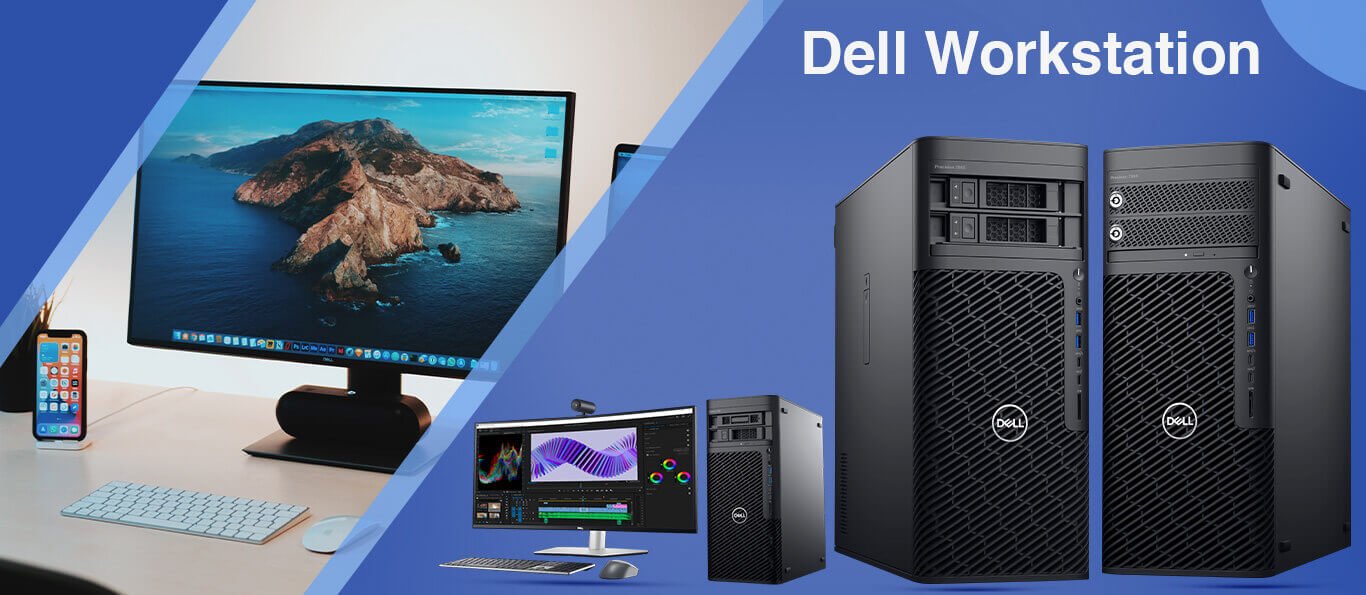
Many institutional deployments are not server-only. A hospital administration wing, a manufacturing plant's design office, or a government department's data cell will typically need Dell workstations for CAD, data analysis or heavy multitasking alongside standard Dell desktops for routine staff work. Getting these devices domain-joined, imaged with a standard software build, and connected correctly to the newly installed server is part of a complete integration job, not a separate afterthought — and it is one of the reasons organisations prefer a single integrator who can handle servers, workstations and desktops together rather than juggling multiple vendors.
Site Preparation and Planning Before the Installation Team Arrives
Good installations start well before the installer's van pulls up. Site preparation is the unglamorous groundwork that determines whether an installation day goes smoothly or turns into a multi-day ordeal. At a minimum, this means confirming that the server room or IT closet has adequate power points, ideally on a dedicated circuit, and that a UPS of sufficient capacity is either already in place or being installed alongside the server. Cooling is the next consideration — a server operating in a poorly ventilated cabin will throttle performance and shorten hardware life regardless of how well it was configured.
Network readiness is equally important. If the building's structured cabling is old, undocumented, or was never designed with a server room in mind, this needs to be flagged and addressed during planning rather than discovered mid-installation. Organisations should also use the planning phase to finalise who the server's administrator will be internally, what data needs to be migrated, and what the acceptable maintenance window is — nights, weekends, or a planned downtime slot communicated to staff in advance.
For institutions procuring through tenders, site readiness documentation is sometimes a contractual requirement before installation can be signed off, which makes early planning doubly important — a delay in site prep can delay final billing and project closure.
How to Choose the Right Integrator or Installer
Not every vendor who sells Dell hardware is equipped to install it well. When evaluating who should handle a server installation, organisations should look past price alone and assess a few concrete factors.
- Authorised dealership status with Dell, which ensures genuine hardware, valid warranty registration, and access to official support channels.
- Demonstrated experience with the specific server line and workload — a PowerEdge deployed for a school's administrative software has different needs from one running a manufacturing plant's ERP.
- Ability to handle the full stack: server, storage, networking, and the desktops or workstations that connect to it, rather than only one piece.
- Clear documentation practices — network diagrams, credential handover sheets, and a written configuration record left with the client, not only in the installer's head.
- Post-installation support terms: response time commitments, on-site versus remote support, and clarity on what is covered under warranty versus what is a chargeable visit.
Local presence matters too, which is why so many buyers specifically search for Dell server installation near me rather than settling for a distant vendor who ships hardware but cannot respond quickly if something goes wrong during setup or shortly after. A nearby, GeM-registered integrator such as Sunlite Systems Pvt Ltd is able to combine the accountability of a formal vendor relationship with the responsiveness of proximity — a combination that pure e-commerce hardware purchases cannot offer.
What to Expect During Installation: A Step-by-Step View
A well-run installation day follows a predictable sequence, and knowing this sequence helps internal IT staff and department heads plan around it with minimal disruption.
- Pre-installation confirmation call to verify site readiness, access, and the maintenance window agreed earlier.
- Physical placement and racking of the server, along with cable management and power connection through the UPS.
- Firmware and BIOS configuration, followed by RAID setup according to the redundancy level agreed during planning.
- Operating system installation and patching, followed by domain, user account, and permission structuring.
- Network configuration — IP addressing, VLANs if applicable, and firewall rules aligned with the organisation's security policy.
- Data migration from any legacy system, run and verified before the old system is decommissioned.
- Connection and testing of dependent Dell workstations and desktops, confirming they can reach the server and access required resources.
- Backup configuration and a test restore, to confirm the backup is not just running but actually recoverable.
- Final handover — documentation, credentials, and a walkthrough with the client's internal IT contact or administrator.
Throughout this sequence, a professional installer keeps the client informed of progress rather than disappearing into the server room for hours. For institutional clients, this is also the point at which installation certificates or completion reports are generated, which often feed directly into tender or purchase-order closure requirements.
Common Installation Mistakes That Cause Long-Term Problems
Certain mistakes recur often enough across server installations that they are worth calling out explicitly.
- Skipping RAID redundancy planning to save initial cost, only to lose data entirely when a single disk fails later.
- Connecting a server to ordinary power without a properly sized UPS, exposing it to damage during voltage fluctuations common in many parts of India.
- Failing to test backups with an actual restore, discovering only during a real emergency that the backup file was corrupted or incomplete.
- Leaving default administrator passwords and open management ports unchanged, creating unnecessary security exposure.
- Poor or absent documentation, so that when the original installer is unavailable, no one else can safely make changes to the server.
- Underestimating cooling requirements, particularly in smaller offices where a server is placed in a cabin never designed to dissipate that much heat.
Each of these mistakes is avoidable with a disciplined installation process, and each is far cheaper to prevent during setup than to fix after a failure has already occurred.
Sector Scenario: A Manufacturing Plant's ERP Server Rollout
Consider a mid-sized manufacturing unit running its production planning and inventory on an ERP system that has outgrown its ageing server. The plant's shop floor terminals, the design office workstations, and the accounts department all depend on this single server being available during working hours, so any installation has to be planned around production shifts rather than ordinary office hours. A proper installation in this setting begins with mapping which departments touch the server and when, followed by scheduling the cutover for a planned maintenance window — often a weekend or a low-production shift — to minimise disruption.
The integrator migrates the ERP database and files from the old server, configures RAID redundancy given how critical continuous uptime is to production scheduling, and sets up a backup regime that accounts for the plant's shift patterns rather than a generic nightly schedule. Dell workstations in the design and quality-control offices are reconnected and tested against the new server before the old one is powered down, and a rollback plan is kept ready in case the ERP vendor's software behaves unexpectedly on the new environment. This kind of sector-aware planning — understanding that a manufacturing plant cannot simply "wait until Monday" if something goes wrong — is what separates a generic hardware delivery from genuine installation expertise.
The GeM and Institutional Procurement Angle
Government departments, public sector undertakings, schools and other institutions procuring Dell servers, workstations and desktops through GeM tenders face a slightly different installation journey than a private company buying off the shelf. Tender-based procurement usually specifies delivery timelines, installation and commissioning requirements, and sometimes training or handover documentation as contractual line items, not optional extras. This means the integrator delivering the hardware must also be capable of executing installation within the tender's terms, providing installation reports, and, where required, training the institution's own staff to operate and do basic maintenance on the system.
A GeM-registered vendor with genuine on-ground installation capability, rather than a reseller who only fulfils the paperwork side of a tender, is considerably more valuable to an institution in this context. Delays in installation can hold up final payment processing, and poorly documented installations can create compliance headaches during audits. Working with an established, GeM-registered supplier for both the Dell hardware and its installation removes this friction, since the same organisation is accountable for delivery, setup, and post-installation support under one contract.
Frequently Asked Questions
How long does a typical Dell server installation take?
A single-server installation for a small to mid-sized office, including OS setup and basic network integration, is usually completed within a day. Larger deployments involving data migration from a legacy system, multiple connected workstations, or complex RAID and networking requirements can take two to three days depending on scope.
Do I need to arrange a UPS separately, or is that part of the installation?
Some installers include UPS sizing recommendations and setup as part of the overall project, while others treat it as a separate line item. It is worth confirming this explicitly during quotation so there are no surprises about protecting the server from power fluctuations.
Can an installer migrate data from our old server without downtime?
Some downtime is almost always required for the final cutover, though it can often be limited to a short scheduled window rather than a full working day, especially if migration is staged and tested in advance.
Is remote support available after installation, or only on-site visits?
Most professional integrators offer a mix — routine issues handled remotely for speed, with on-site visits reserved for hardware faults or situations that genuinely require physical access.
Does installation include training for our own IT staff?
This depends on the scope agreed at the outset. Many institutional and tender-based projects specifically include a handover training session, and it is reasonable to request this even for private commercial installations.
Closing Summary
Choosing a Dell server is a hardware decision; installing it correctly is an operational one, and the two require equally serious attention. Organisations searching for Dell server installation near me are usually looking for exactly the combination that matters most — genuine technical competence, local responsiveness, and accountability that does not disappear once the invoice is settled. From site preparation and RAID configuration to data migration, workstation integration, and GeM-compliant documentation for institutional buyers, a proper installation project touches far more than the server box itself. Readers evaluating Dell workstations and meeting-room infrastructure alongside their server rollout can review our related guide on HP IT infrastructure and meeting room solutions, and those planning wider AV-integrated control rooms may find our piece on Kramer AV control integration in Gurugram useful as a next step. For hardware sourcing, browse the Sunlite Systems Online Store, explore wider service coverage through Sunlite Systems India, and for unrelated lifestyle and gifting needs, visit our Rudraksh India store.
Rack Layout, Cabling, and Network Readiness
Most buyers searching for Dell server installation near me focus on getting hardware racked and powered, but the real work happens before the server touches the rack. Airflow clearance, weight distribution, cable bend radius, and PDU placement determine whether a deployment is stable for years. Cabling discipline — vertical trays, labeled patch cords, separation of power and data runs — prevents troubleshooting from turning into hours of tracing cables. Network readiness (correct VLAN, negotiated link speeds, NIC teaming, firewall rules) should be finalized before installation day.
Post-Installation Support and AMC Planning
A sound AMC for server infrastructure covers scheduled health checks, firmware and driver updates, monitoring of hardware indicators, and a defined response window if a component fails. Buyers should ask: What is the guaranteed response time for a server-down situation? Are spare parts held locally? Documentation handed over at installation — rack diagrams, cable maps, IP assignments, RAID configuration — becomes the foundation for every future support interaction.
Do I need a dedicated server room, or can a Dell server be installed in a regular office space?
A dedicated room is recommended for production workloads, but at minimum the location needs stable power, adequate cooling, restricted access, and enough rack space for proper airflow.
How much downtime should we expect during a server migration or new installation?
A new installation with no dependent systems can often go live with minimal impact. A migration involving existing databases or email typically requires a planned maintenance window with a realistic downtime estimate and rollback plan.
Explore More — Sunlite Systems Network
Ready to Install Dell Equipment?
Sunlite Systems Pvt Ltd is a GeM-registered, authorized Dell installation partner across India.
Contact Us Now